
Build Trading Algorithms with PyneScript
A Python scripting language for algorithmic trading on the ATK platform. Indicators, strategies, and visuals — all in one.
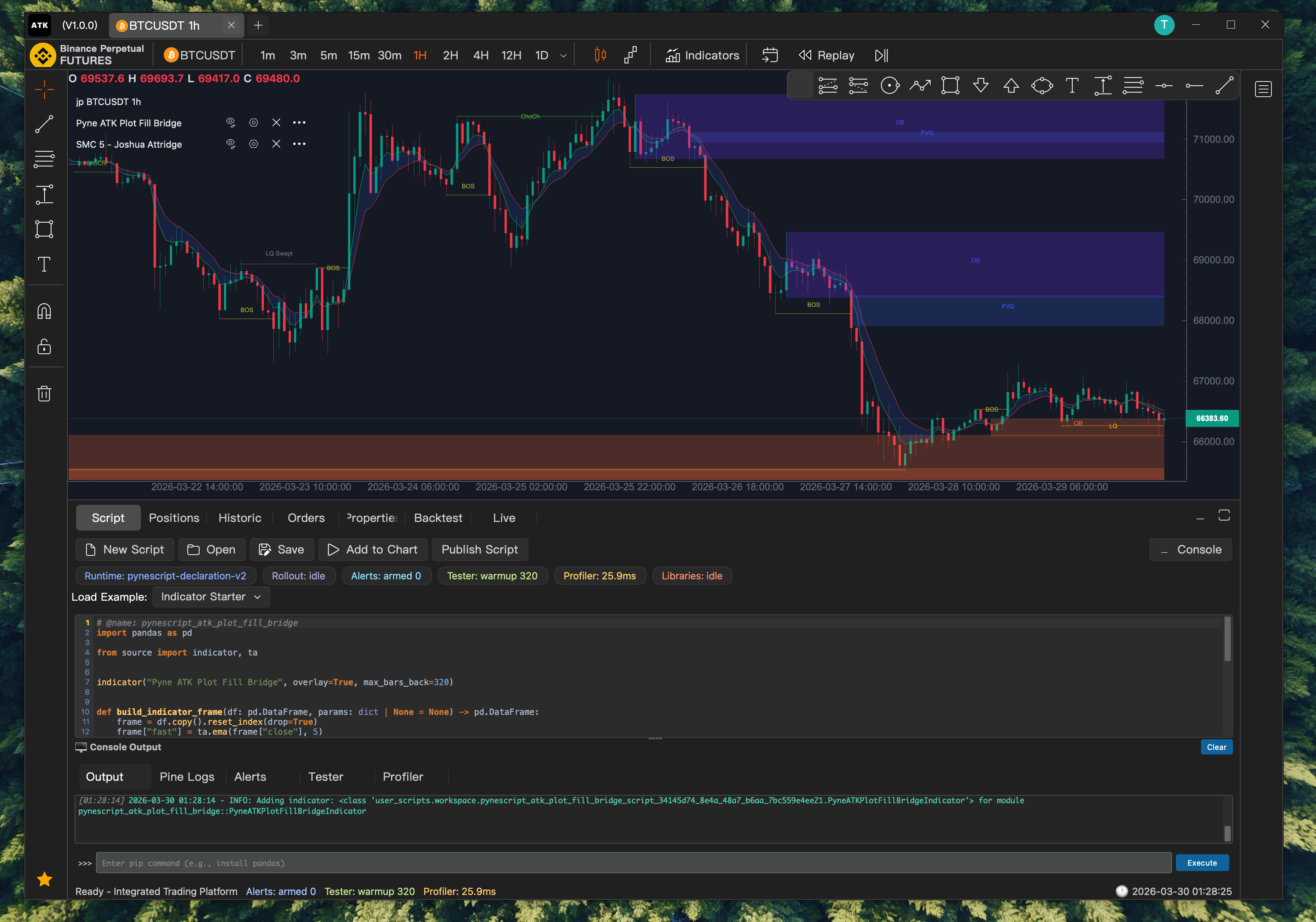
from source import indicator, input, ta, plot

indicator("My EMA Crossover", overlay=True)

fast_len = input.int(9, title="Fast Length", key="fast")
slow_len = input.int(21, title="Slow Length", key="slow")

def build_indicator_frame(df, params=None):
    df["fast_ema"] = ta.ema(df["close"], fast_len)
    df["slow_ema"] = ta.ema(df["close"], slow_len)
    return df
From script to chart in 3 steps
Write your script, load it into ATK, and see results instantly.
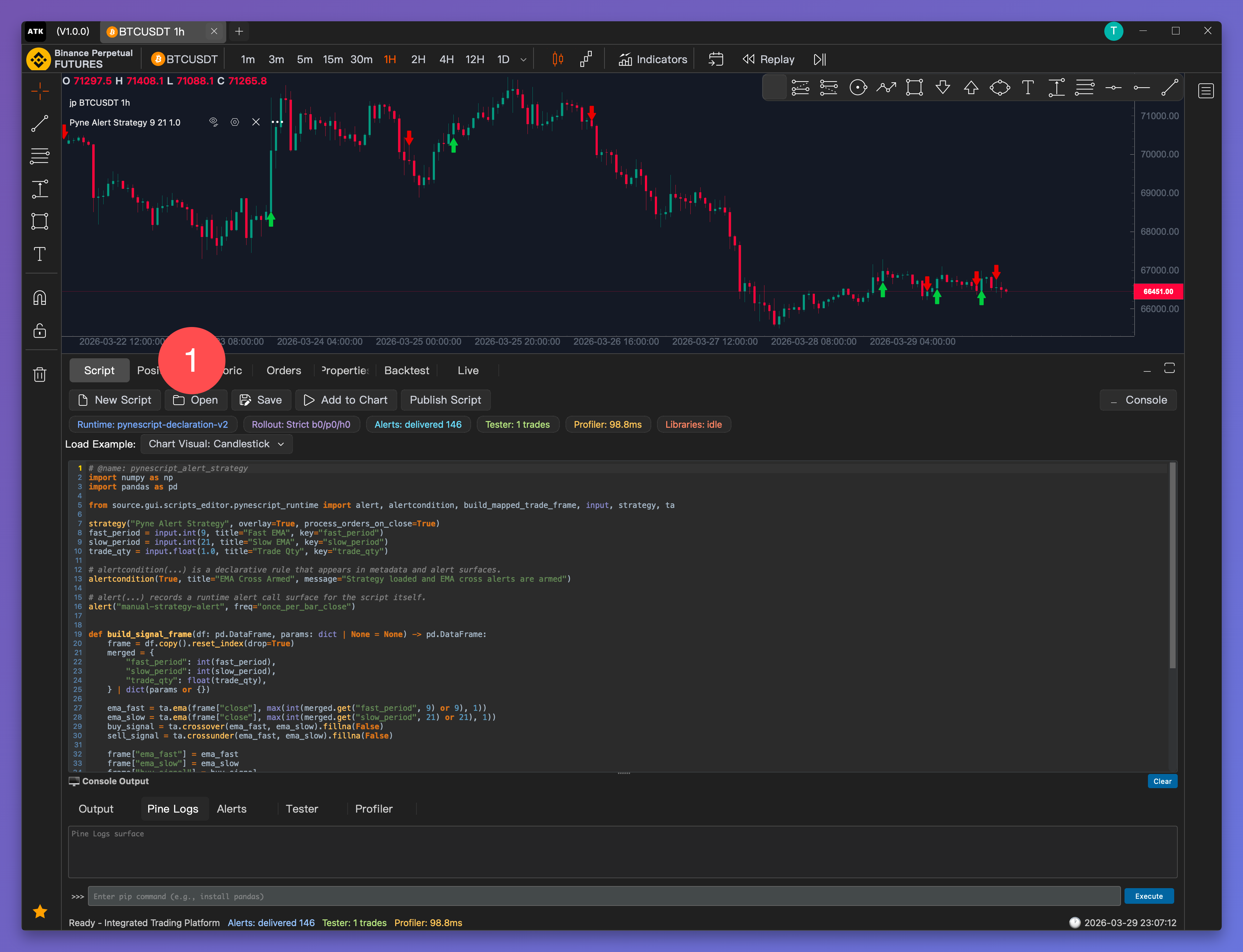
Open the script browser
Click Open in the Script tab to browse your PyneScript files.
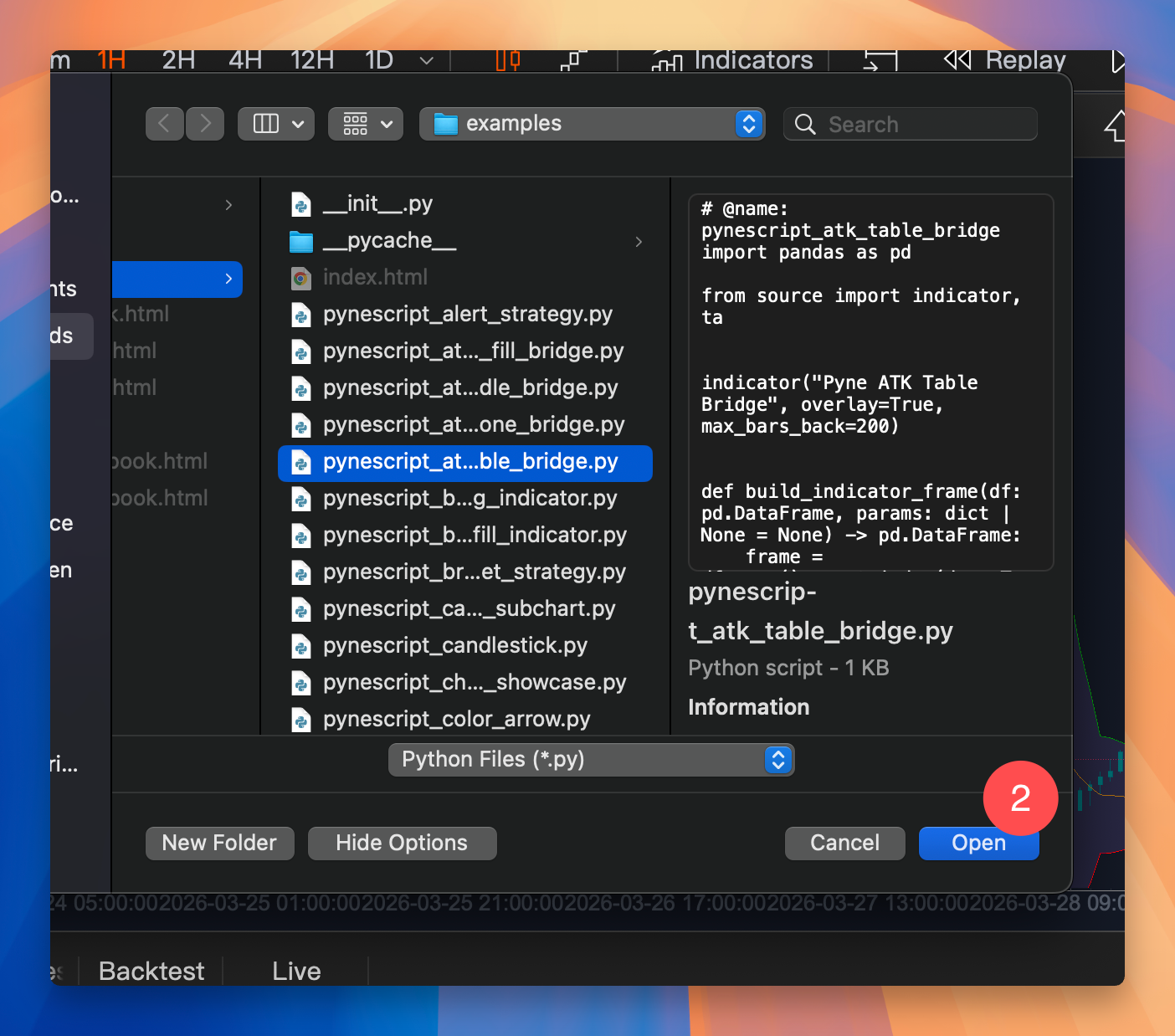
Select your script
Pick any .py script from your local library or examples.
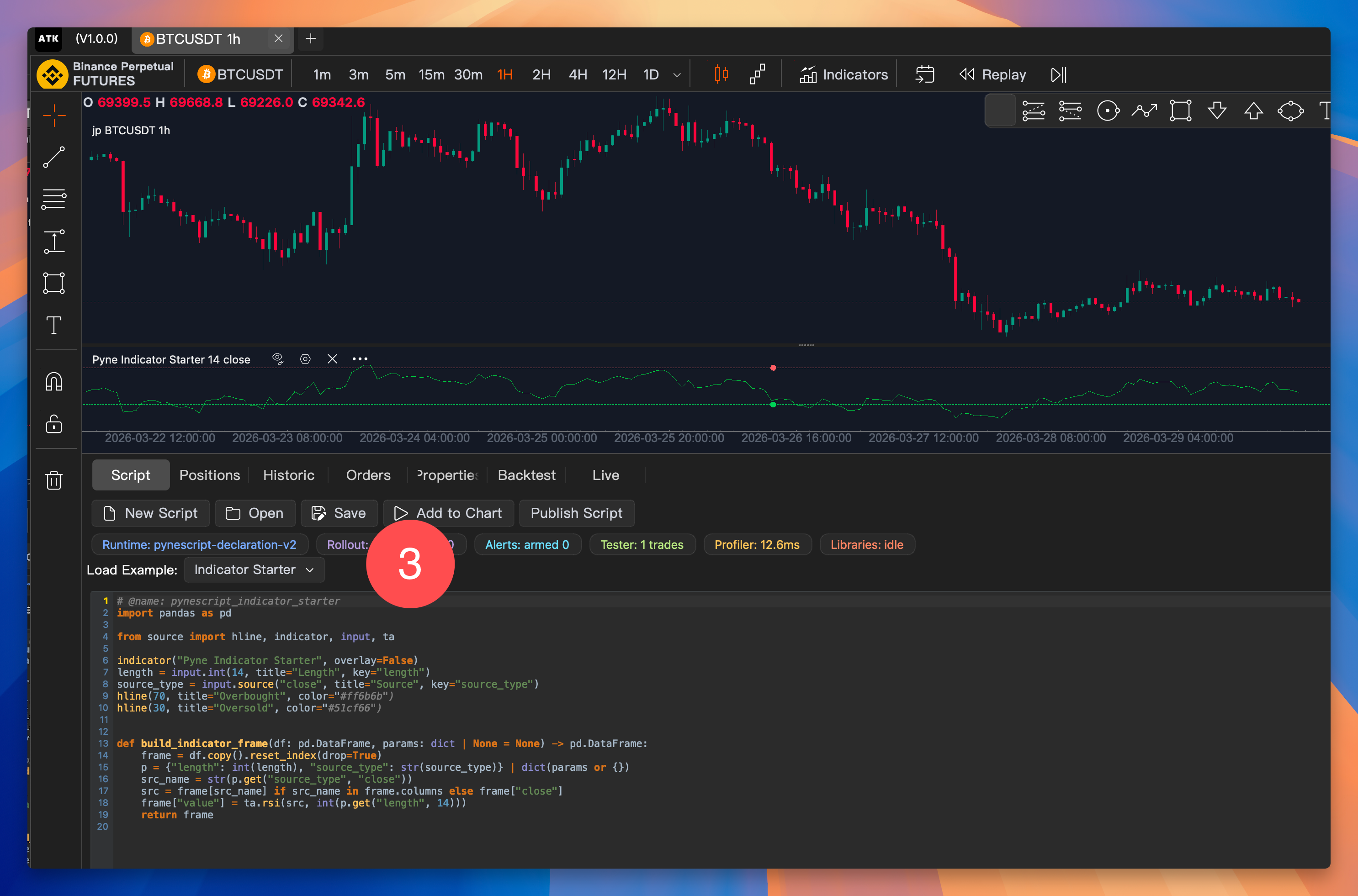
Add to chart
Click Add to Chart and your indicator or strategy runs immediately.
Everything You Need
PyneScript V6 provides a comprehensive toolkit for quantitative trading.
Python-Powered
Write trading logic in familiar Python with full pandas DataFrames.
50+ Technical Indicators
Built-in ta.ema, ta.rsi, ta.crossover and dozens more via ta.* namespace.
Rich Visuals
Plot overlays, shapes, tables, candles, and profiles with the ATK graphics bridge.
Execution Realism
Slippage, commission models, and order fill simulation built into the engine.
Library Ecosystem
Publish and import reusable libraries across your scripts.
Multi-Timeframe
request.security() for seamless cross-timeframe data access.