
Welcome to PyneScript V6
Introduction to PyneScript V6 — a Python scripting language for algorithmic trading on the ATK platform.
What is PyneScript V6?#
PyneScript V6 is a Python-based scripting language designed for algorithmic trading on the ATK platform. It provides a familiar Python syntax with built-in support for technical analysis, strategy backtesting, and rich chart visualizations.
Key Features#
- Python syntax — Write trading logic using familiar Python patterns with pandas DataFrames
- 50+ technical indicators — Built-in
ta.*namespace with EMA, RSI, MACD, Bollinger Bands, and more - Strategy backtesting — Full execution realism with slippage, commission, and order fill simulation
- Rich visuals — Plot overlays, shapes, tables, candles, and profiles via the ATK graphics bridge
- Library ecosystem — Publish and import reusable libraries across scripts
- Multi-timeframe —
request.security()for seamless cross-timeframe data access
Script Types#
PyneScript V6 supports two primary script types:
Indicators#
Indicators compute and visualize data on charts without generating trade signals.
from source import indicator, input, ta, plot

indicator("My RSI", overlay=False)

length = input.int(14, title="RSI Length", key="len")

def build_indicator_frame(df, params=None):
    df["rsi"] = ta.rsi(df["close"], length)
return dfStrategies#
Strategies generate trade signals and can be backtested with execution realism.
from source import strategy, input, ta, build_mapped_trade_frame

strategy("EMA Cross", overlay=True, process_orders_on_close=True)

fast = input.int(9, title="Fast EMA", key="fast")
slow = input.int(21, title="Slow EMA", key="slow")

def build_signal_frame(df, params=None):
    fast_ema = ta.ema(df["close"], fast)
    slow_ema = ta.ema(df["close"], slow)
    df["mapped_entry_side"] = "BUY"
    df["mapped_entry_side"] = df["mapped_entry_side"].where(
        ta.crossover(fast_ema, slow_ema), None
    )
    return df

def build_trade_frame(signal_df, **kwargs):
    return build_mapped_trade_frame(signal_df)
How to Import a Script#
Follow these steps to import and run a PyneScript in the ATK app:
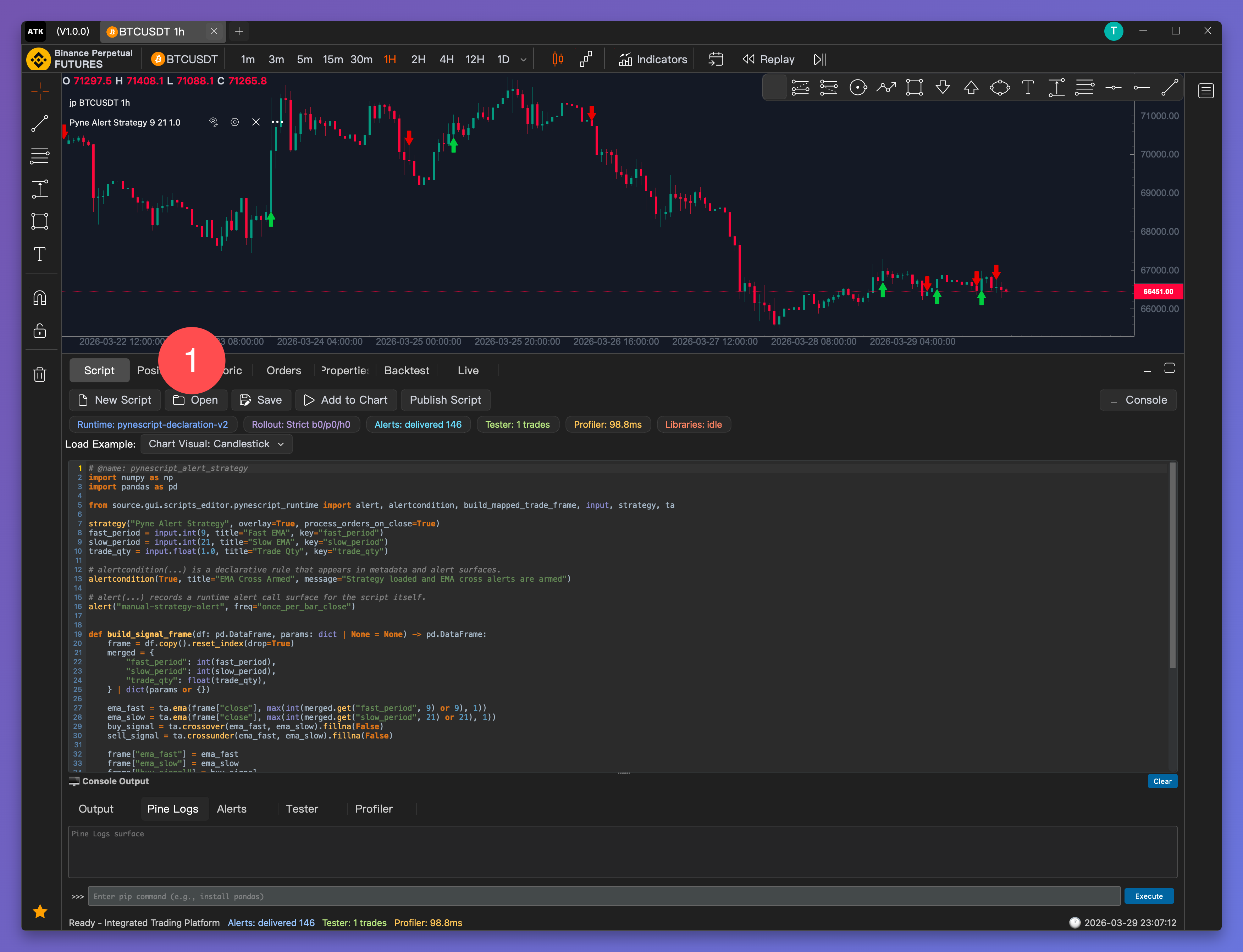
Step 1: Open Script Browser#
Click Open in the Script tab to browse available scripts.
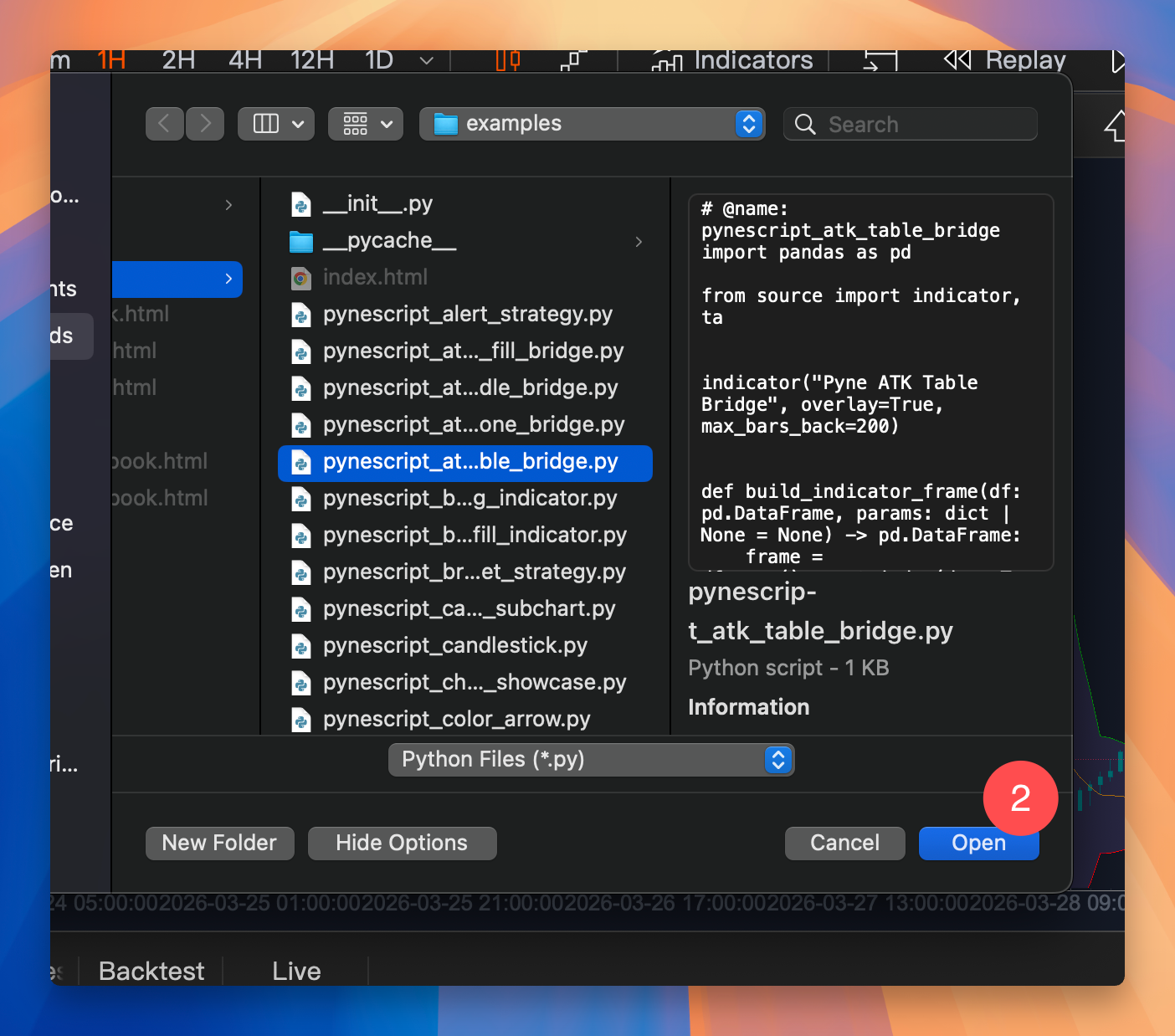
Step 2: Select a Script#
Browse and select a .py script file from your library.
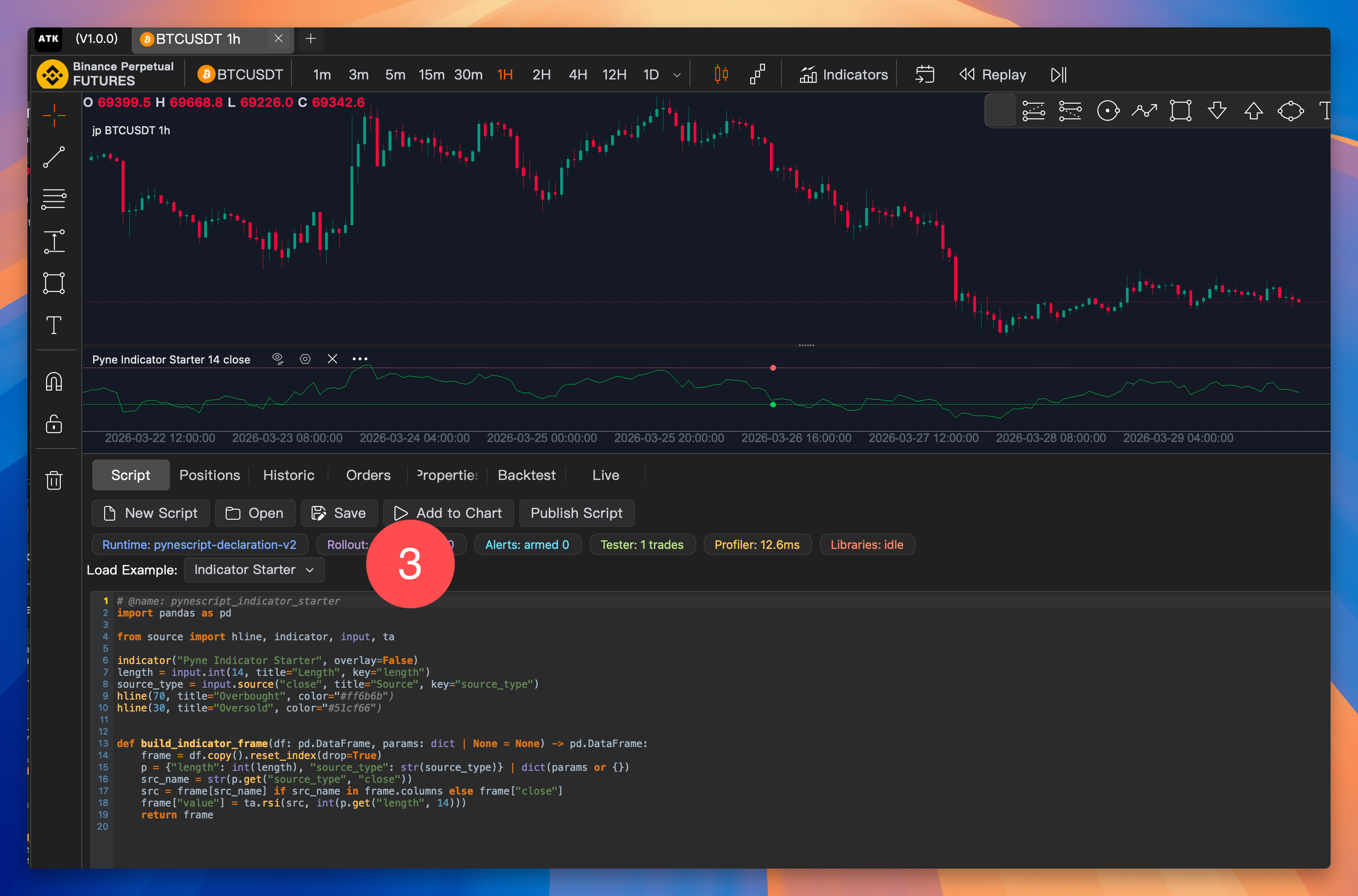
Step 3: Add to Chart#
Click Add to Chart to apply the script to your current chart.
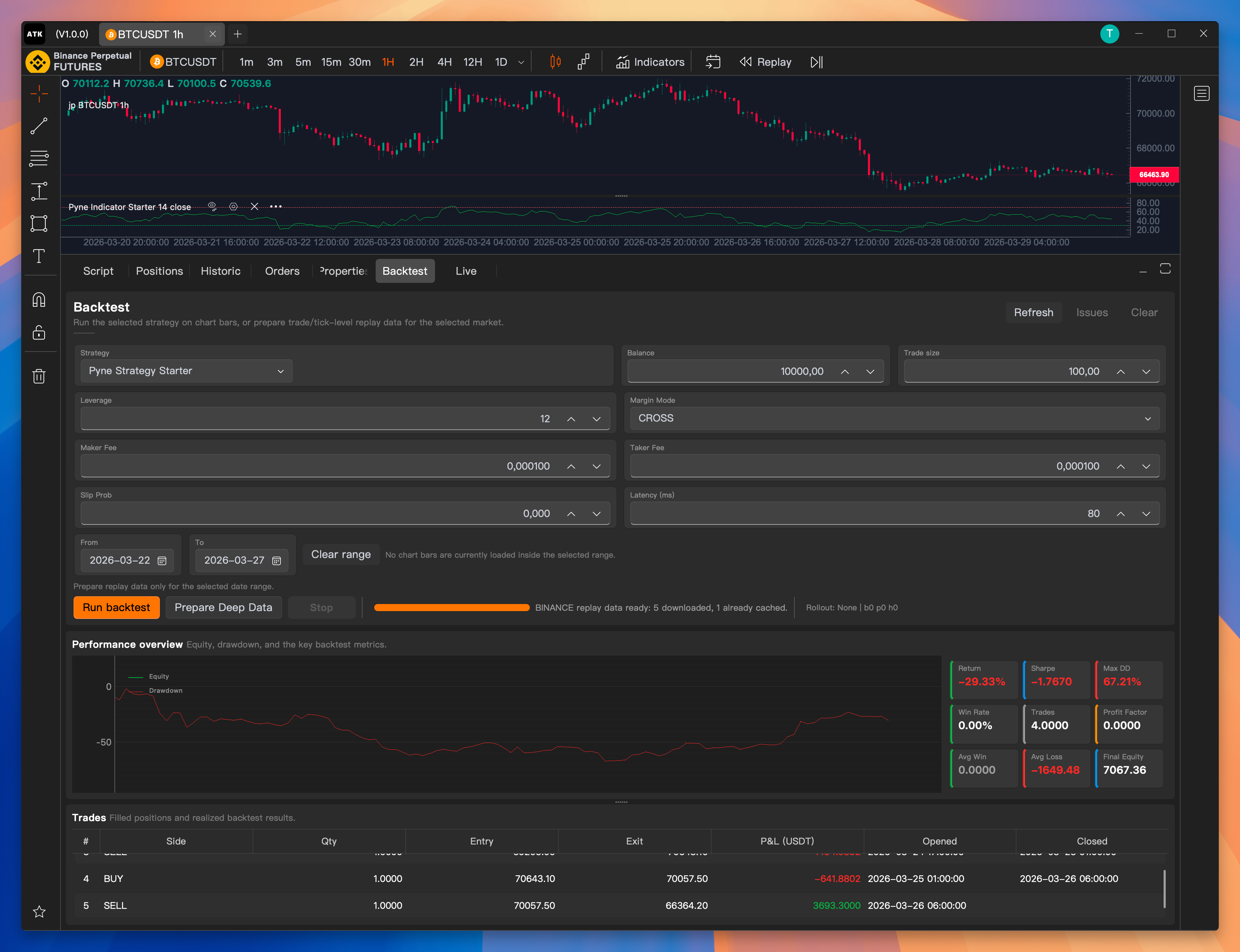
Optionally, switch to the Backtest tab to run and evaluate your strategy's performance.
Next Steps#
- Quick Start — Build your first script
- Core API — Learn the API fundamentals
- Examples — Browse ready-to-use scripts